The 0fee field guide
Everything the app does, in the order you'll meet it: from signing in to reading what each swap saved you.
The browser extension
We've submitted the 0fee browser extension for review, and it's working its way through approval now. When it lands, it will route a swap at 0.10% from whichever trading site you're already on, instead of asking you to come here first.
Nothing about the app changes when it ships, and you won't need the extension to use 0fee — 0fee.finance/app stays the whole product, with the same fee and the same keys held in your own browser.
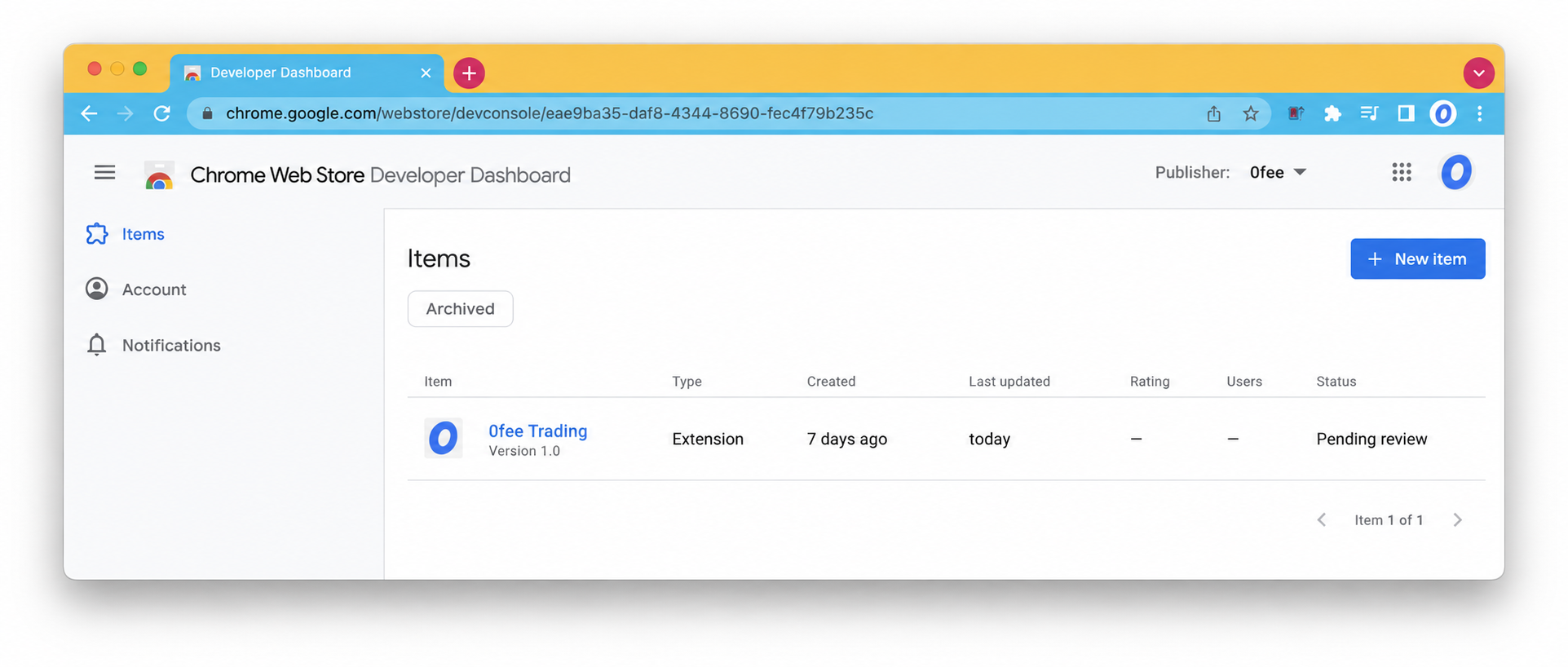
We'll announce it on X the day it's live. Review times are up to the store, so we're not putting a date on it.
What 0fee actually does
0fee is one page where you trade on Robinhood Chain for a tenth of what a terminal charges.
Terminals take a cut of every trade — Axiom charges 0.95% at its entry tier — and it comes out whether the trade wins or loses. 0fee sends the same swap straight to the chain's liquidity and charges a flat 0.10%, so the rest stays with you.
The same trade, before and after
| swap | at 0.95% | with 0fee | you keep |
|---|---|---|---|
| 0.1 ETH | 0.0001 ETH | 0.00085 ETH | |
| 1 ETH | 0.001 ETH | 0.0085 ETH | |
| 1,000 USDG | 1.00 USDG | 8.50 USDG |
What you need
- An X account to sign in.
- A wallet on Robinhood Chain and its private key — the one you already trade with works.
- A little ETH in that wallet for gas.
There is nothing to install. No extension, no app download — the whole thing runs on the page.
Sign in with X
Open the app and press Sign in with X. X asks you to allow 0fee to see your profile; approve it and you're back in the app, signed in.
0fee only reads your handle, name and picture. It cannot post, read your messages or see who you follow. Your X account is what keeps your wallets list, history and savings together.
Sign-in only ever happens on x.com. If a page that isn't X asks for your X password, close it.
Add your wallet
Export the private key of the wallet you trade with and paste it into the app.
Before anything is saved, the app shows the wallet address that key belongs to, so you can check it's the right one. Press Add wallet and the key is encrypted into this browser. The app then signs a short message with it to prove the wallet is yours — a signature, not a transaction, so nothing moves and no gas is spent.
Good to know
- Private key, not seed phrase. A key is 64 characters of 0-9 and a-f. The app refuses seed phrases.
- Several wallets. Add as many as you trade from and switch between them from the wallet menu.
- Names. Call them anything — main, sniper, stocks.
Anyone with your private key controls that wallet. Only paste it into the app on your own device. 0fee will never ask for it in a DM, an email or anywhere outside the app.
Your first swap
| what happens when you press swap |
|---|
| Pick what you pay and what you get, and type an amount. |
| The app finds the best route and shows exactly what you'll get and what it costs. |
| Press swap. The transaction is built for your wallet and signed in your browser. |
| It's sent to Robinhood Chain and confirms in seconds. |
| Your balances, history and savings update on their own. |
Every swap links to the block explorer, so you can check it on the chain yourself.
Reading a quote
| line | what it tells you |
|---|---|
| rate | What one unit of the token you pay is worth in the token you get, right now. |
| 0fee fee | The 0.10%, in the token you receive. It's already taken out of the amount shown. |
| Axiom would take | The same trade at Axiom's 0.95%, for comparison. |
| minimum you get | The worst case after slippage. If the price moves further, the swap cancels instead. |
| route | The pool the swap goes through, and any token it hops via. |
Quotes refresh every 15 seconds while they're on screen, and the swap is priced again at the moment you press the button.
Slippage
Slippage is how far the price may move between the quote and the swap landing. Pick 0.5%, 1% or 3%, or type your own. The app remembers your choice.
Tighter slippage protects your price but cancels more often when the market is moving. A cancelled swap costs only its gas. Thin tokens usually need more room.
Approvals
The first time you sell a token (anything other than ETH), the chain needs your permission for the swap router to move it. The app sends that approval for you, waits for it to confirm, re-prices, then sends the swap.
It happens once per token, per wallet. Selling ETH never needs one.
What you can trade
- ETH, USDG and WETH.
- 44 Robinhood tokenized stocks, searchable by name — AAPL, AMC, AMZN, ASML, BA, BABA and more.
- Any other token with liquidity in a Uniswap v3 pool on Robinhood Chain: paste its contract address into the token search.
Anyone can create a token with any name. When you paste an address, check it's the contract you meant — the name alone proves nothing.
When a pair can't route
0fee routes across Uniswap v3, Uniswap v4 and PONS launchpad curves. It prices v3 and v4 together on every quote and takes whichever pays you more, so a token that has moved its liquidity between them still trades at the better price.
Tokens still on a bonding curve route through the curve itself, which means you can trade a coin from the moment it launches rather than waiting for it to graduate to a pool. 0fee takes no fee at all on a curve trade — a curve pays the buyer directly and gives us no way to take a cut without charging you a second transaction, so we don't.
If a pair has no liquidity on any of the three, the app says No route and nothing is sent. Nothing is spent when a pair can't route — not even gas.
What you've saved
The dark card adds up the difference between 0fee's 0.10% and Axiom's 0.95% on every swap that confirmed, in dollars, with a per-token breakdown underneath. Swaps that failed or never landed aren't counted.
Holdings & value
The wallet card lists what the selected wallet holds: ETH, USDG, any tokenized stock with a balance, and tokens you've added. Wallet value prices each holding at what it would sell for right now. Press trade on a row to start selling it.
Tokens you swap into are added to your list automatically, on every device you sign in on.
Send & receive
Receive shows the wallet address to copy. Send moves ETH or any token you hold to another address: choose the asset, paste the address, enter the amount, review, then send. It's signed in your browser like a swap.
Only send and receive on Robinhood Chain. Transfers can't be reversed, and funds sent to a wrong address or on another network are gone.
Gas
Every transaction on Robinhood Chain pays a small gas fee in ETH. It goes to the network, not to 0fee. Keep a little ETH in each wallet you trade from — max on ETH leaves some behind for exactly this reason.
How your key is held
The honest version, because you shouldn't have to take this on faith.
| Stored | In your browser only, encrypted with a key the browser creates for this site and will not let any page read out. |
| Used | To sign transactions you start, in your browser, at the moment you press the button. |
| Never | Sent to 0fee. Our servers hold no copy of any key, so there is none to leak. |
| 0fee knows | Your X profile, your wallets' public addresses, and the swaps you make here. |
Because the key lives in your browser, clearing this site's data removes it. Keep your own backup of any key you care about — 0fee can't recover one for you.
Using 0fee on another device
Sign in with the same X account and your wallets, history and savings are all there. The keys aren't — they never left the first device — so each wallet shows key not on this device. Paste the key again in Wallets to trade from there.
Signing out
Press your X handle in the top corner. You get two choices:
- Sign out — keeps your keys in this browser for next time.
- Sign out and remove keys — deletes them from this browser. Use this on any computer that isn't yours.
In Wallets you can also forget one wallet's key on this device, or remove a wallet from your account entirely. Removing never touches the funds in it.
If something isn't working
| what you see | usually means | what to do |
|---|---|---|
| Not enough ETH for gas | The wallet can't pay the network fee. | Send it a little ETH. |
| Price moved past your slippage | The market moved while the swap was landing. | Try again, or raise slippage. |
| No route for this pair | No Uniswap v3 liquidity for it. | Try a different pair. |
| Key not on this device | You added the wallet somewhere else. | Paste its key in Wallets. |
| Chain is not responding | A brief network hiccup. | Wait a moment and try again. |
A problem on our side never puts your funds at risk: nothing moves unless you sign it.
Every number in one place
| rates and limits |
|---|
| 0fee fee — 0.10% per swap |
| Compared with — Axiom's 0.95% entry-tier fee |
| Default slippage — 1% |
| Quote refresh — every 15 seconds |
| Approvals — once per token, per wallet |
| Wallets per account — up to 25 |
| Tokens you can add to holdings — up to 60 |
| Network — Robinhood Chain (chain id 4663), gas paid in ETH |
Support: find us on X. If this page and the app ever disagree, the app is right — it reads the live numbers.